

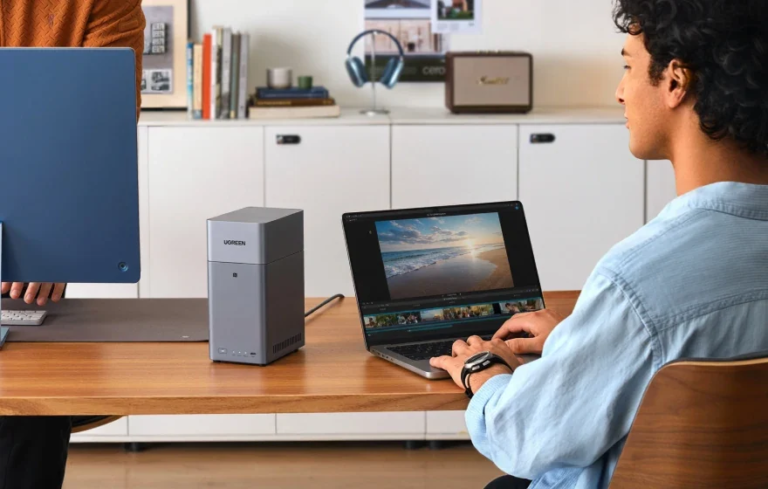
Working from home can make storage requirements surprisingly difficult to judge. A laptop that once held little more than documents and spreadsheets may gradually accumulate client files, device backups, photos, design assets, exported projects and years of archived work.
That is why choosing a home office NAS should not start with the biggest capacity figure on a product page. The more useful question is: what data does your work create, how quickly does it grow, and how difficult would it be to reorganise or replace your storage later?
For some people, a compact setup will comfortably handle years of work. For others, the same system may feel restrictive much sooner. A sensible storage plan looks beyond today’s files without paying for capacity that has no realistic use.
Start With the Data Your Work Actually Creates
Not every home office grows at the same rate.
A copywriter working mainly with documents may generate relatively little new data each month. A photographer shooting RAW files, a designer maintaining large project folders or a video editor working with high-resolution footage can add storage far more quickly.
Before looking at NAS specifications, divide your data into a few practical groups:
| Storage area | Typical examples | What to consider |
| Active work | Current projects, documents, spreadsheets, design files | How much needs to stay immediately accessible? |
| Device backups | Laptops, desktops, phones and tablets | How many devices need regular backups? |
| Completed projects | Client deliveries, exported media, old project folders | How long must completed work be retained? |
| Shared files | Templates, team folders, reference material | How many people need access? |
| Personal data | Photos, videos and household documents | Will the same NAS serve both work and personal storage? |
This approach is more useful than simply checking how much space your computer uses today. A machine with 1 TB of local storage, for example, does not automatically mean that 1 TB is the right NAS capacity. Some local files may not need to be copied, while backups, archives and shared folders may eventually require much more space.
Separate Working Storage From Backup
A NAS can centralise files and make them easier to reach from several devices, but centralisation and backup are not the same thing.
If the only copy of an important client folder exists on the NAS, that folder is still vulnerable to accidental deletion, corruption, malware, theft or damage to the device itself. RAID can help a storage system remain available when a drive fails, but it does not protect against every form of data loss.
For a home office, that might mean using the NAS as the main location for working files and computer backups while keeping another copy of critical data on separate storage or in the cloud.
This distinction matters when estimating capacity. Your NAS may need room not only for current files, but also for backup history, older versions and archives.
Think About Storage in Time Horizons
Trying to predict an exact storage requirement five years from now is rarely realistic. A change in job, camera, client mix or software workflow can quickly make a precise forecast obsolete.
A better approach is to think in three time horizons.
What Do You Need Today?
Start with everything you genuinely want to move onto the NAS: current work, existing archives and the devices you want to back up.
Do not count files you already plan to delete or store elsewhere simply to inflate the estimate.
What Is Likely to Change Over the Next Year or Two?
Consider whether you expect to:
- take on more clients;
- keep larger project archives;
- buy a higher-resolution camera;
- work with more video;
- add another computer;
- share storage with a partner or colleague;
- keep more backup versions.
These changes often matter more than the size of your existing folders.
What Happens When the Current Storage Is Full?
This is the question many buyers overlook.
Some storage setups can grow by adding drives, while others eventually require the existing drives to be replaced with larger ones. Neither approach is automatically wrong, but the cost and inconvenience are different.
Your future expansion path should therefore be part of the original buying decision.
When the Number of Drive Bays Starts to Matter
Drive bays become important once you understand how quickly your data is likely to grow.
A two-bay NAS can make sense for a sole trader or home worker with predictable storage needs. It offers a compact footprint and can provide drive redundancy with a mirrored configuration.
Four bays become more attractive when storage growth is harder to predict, several devices or people rely on the same system, or you want the option to add more hard drives later rather than replacing a full pair.
The key point is that more bays do not automatically mean a faster NAS. Bay count mainly changes storage flexibility and the RAID layouts available to you. Processor performance, memory, SSD support and network connectivity should be considered separately.
If you have reached this stage of the decision, exploring UGREEN’s 2-bay and 4-bay NAS options is a useful next step before comparing capacity, RAID support and expansion paths.
For a home office, the decision is therefore less about buying the largest enclosure you can afford and more about avoiding an awkward upgrade path later.
Do Not Ignore Network Speed
Storage capacity is only one part of the experience.
If your NAS is mainly handling Word documents, PDFs, spreadsheets and ordinary computer backups, extremely fast networking may offer little practical benefit. Those files are relatively small.
The situation changes when you regularly move:
- large RAW photo libraries;
- 4K or higher-resolution video;
- virtual-machine images;
- large design projects;
- disk images and system backups;
- hundreds of gigabytes of client data at once.
In these workflows, the network can become a bottleneck even when the NAS has plenty of free capacity.
This is why it is worth separating two questions:
How much storage do I need?
and
How quickly do I need to move data to and from it?
A larger NAS is not necessarily the answer to the second question. A smaller system with faster networking may suit some professional workflows better than a larger enclosure connected over a slower network.
Remote working adds another consideration. If you regularly need to reach work files while away from your home network, plan for secure remote NAS access rather than treating remote connectivity as an afterthought. The security and performance of remote access can matter just as much as local network speed when important business files are involved.
Match the Storage Plan to the Type of Home Office
The easiest way to make the decision practical is to think about the work being done.
Writer, Consultant or General Office Worker
A typical workload may include documents, presentations, spreadsheets, PDFs, email exports and backups from one or two computers.
Data growth is usually fairly predictable, so a compact NAS can often provide plenty of room as long as the drives are sized with future backups and archives in mind.
The bigger priorities may be simple backup routines, reliable access and keeping business files organised rather than maximising raw capacity.
Photographer, Designer or Content Creator
Creative workflows behave differently.
RAW photographs, layered design files, project caches and exported video can turn what looked like generous free space into a constraint surprisingly quickly. Completed work may also need to remain available for future revisions rather than being deleted after delivery.
For these users, leaving room for storage expansion can be more valuable than minimising the initial enclosure size.
Network performance also becomes more important because moving large projects back and forth can consume significant time.
Small Household Business or Growing Team
A home office sometimes evolves into something closer to a small company.
Two people may begin sharing client folders. Another workstation may be added. Automated backups multiply. A shared archive becomes part of the everyday workflow rather than something accessed occasionally.
At that point, capacity planning should account for users as well as files. Each additional computer or team member can introduce another stream of working data and backups.
A system chosen only around one person’s current laptop may therefore become restrictive even if the individual files themselves have not changed much.
Leave Room for Normal Growth
Buying storage with no spare capacity usually creates unnecessary pressure later.
Free space gives you breathing room when a project becomes larger than expected, a new device needs backing up or an archive has to remain available for longer than planned.
That does not mean buying the maximum possible capacity on day one.
It means avoiding a setup that is already close to its practical limit as soon as your existing data has been transferred.
If your workload grows slowly and predictably, larger drives in a compact NAS may be perfectly sensible. If growth is irregular or difficult to predict, additional drive bays may offer a more convenient path.
The right answer depends on the way the storage will actually be used.
Plan for Recovery, Not Just Capacity
A home office storage plan is incomplete if it only asks where files will live.
It should also answer:
- What happens if a hard drive fails?
- What happens if a file is deleted accidentally?
- What happens if malware reaches the NAS?
- What happens if the NAS itself is damaged or stolen?
- How quickly could important work be restored?
- Is there another copy that remains available if the main system fails?
These questions often reveal that some of the storage budget needs to go towards backup rather than simply increasing NAS capacity.
For business-critical information, an independent backup is particularly important. It may live on external storage, another NAS, a cloud service or a combination of methods depending on the workflow.
The important point is that it should not depend entirely on the same storage system as the working copy.
A Simple Home Office NAS Checklist
Before choosing a NAS, work through these questions:
- How much business data do I have now?
Include active projects, archives and files that need to be retained. - Which devices will be backed up?
Count laptops, desktops, phones and other devices that will regularly send data to the NAS. - What creates the most new data?
Documents behave very differently from RAW photography or video. - Will anyone else use the system?
Shared storage can grow much faster once several users and computers are involved. - How would I expand it?
Know whether future growth means adding drives or replacing the existing ones. - How fast does the network need to be?
Large-file workflows may benefit more from faster networking than from additional drive bays. - Where is the independent backup?
RAID and a NAS are useful parts of a data-protection plan, but neither removes the need for another recoverable copy of important files.
Answering these questions usually narrows the choice considerably.
Final Thoughts
The best NAS capacity for a home office is not simply the largest number within budget.
For light office work, the priority may be reliable backups and straightforward file organisation. For photographers, designers and video professionals, storage growth and network performance can become much more important. For a growing home-based business, the number of users and devices may ultimately matter as much as the files themselves.
Start with your workload, then think about growth, expansion and backup as separate decisions. That approach makes it much easier to choose a NAS that fits the way you work today without forcing an unnecessary storage upgrade tomorrow.
