

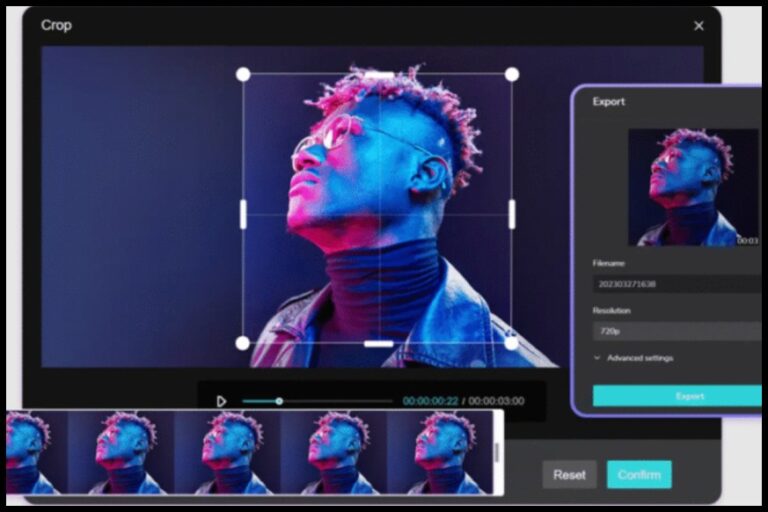
All the video platforms require their own aspect ratios and video formats. A video that is ideal on YouTube would look squashed or ill-framed on TikTok or Instagram. In order to make your content look professional everywhere, it is important to have good video cropping. The CapCut Desktop is an application that provides powerful tools, enabling creators to crop and reframe videos effectively and share them on multiple platforms without loss of quality.
CapCut Desktop: Designed for Multi-Platform Video Editing
CapCut Desktop, the main editing tool from CapCut, helps creators produce content for today’s platforms. It is a mixture of sophisticated video editing software, AI-enhanced capabilities, and a user-friendly interface that is easy to use both by a novice and an expert animator. You can frame videos long or short and vertical with CapCut Desktop, giving an opportunity to control the resolution, framing, and exports.
CapCut Desktop boasts one of its greatest strengths in a unified workflow. The creators will be able to edit their images, add filters, and control various formats, all in a single place. A common entry point is to pull or create thumbnails or pictures with the Photo editor, then proceed to a course of editing videos, either by cutting or transposing video with the Crop Video option. This is a smooth movement that aids in brand continuity.
Coupled with the desktop version, CapCut can also branch off to a web version, which allows platform-specific cropping to be quicker and more easily accessed.
CapCut Web: Quick Cropping for Platform-Specific Formats
CapCut Web would suit the creators when needed to trim videos to use on various social networks. You can use it directly in the browser without installing anything. It includes preset aspect ratios for YouTube, TikTok, and Instagram. This particularly makes it handy whenever there are rapid changes, uploading last-minute, or editing files with devices that do not have desktop software.
Below, we are going to pay attention to it in the next section, where we will discuss how to crop any video to suit other platforms with the help of CapCut Web, with clear and straightforward steps.
How to Crop Videos for YouTube, TikTok, and Instagram Using CapCut Web
With the Crop Video option on CapCut Web, it is very easy to fit the same video into various platforms and ensure that valuable material is kept at the centre and in place.
Step 1: Create an Account
To begin with, open the CapCut homepage and press Sign up for free. Creating an account can be made with the help of your Google, Facebook, or TikTok accounts. After the logout process, you will now be at CapCut, a web-based editing workspace, and can start to crop videos in your browser.
Step 2: Upload Your Video and Select an Aspect Ratio
Once you are in the workspace, select the aspect ratio, which corresponds to the target platform. As an example, choose 16:9 on YouTube and 9:16 on TikTok, 1:1 or 4:5 on Instagram. Post your video to your computer (or Google Drive or any other device), to Dropbox, or to a QR code. The CapCut Web can also move between aspect ratios in a flash, and it is simple to make a single video to fit the various platforms.
Step 3: Crop, Adjust, and Export for Each Platform
To have the editing tools, you should select the video in the timeline. The video preview will be surrounded by a white border, which will mark its selection. To customize the frame and rearrange the video to keep important elements in the blow-up in the selected aspect ratio, pick the Crop icon. The framing can be adjusted to prevent chopping out faces, text, or valuable visuals. After satisfaction, save the video on your device, or upload it to the video hosting platform directly to YouTube, TikTok, and Instagram.
Platform-Specific Cropping Tips
Appropriately cutting videos will make sure that the content will appear natural on each and every platform. In the case of YouTube, horizontal framing is the most suitable, and it gives the background more visibility. VFe TikTok needs to be vertically framed, which is an important factor in maintaining the centralization of the subject. Instagram has various formats, yet vertical and square videos work better in feeds and reels.
With CapCut, such adjustments are readily done without starting afresh. You can use the same clip, switch the aspect ratio, and use the crop that fits the respective platforms.
Why CapCut Is Ideal for Multi-Platform Creators
The ecosystem at CapCut is flexible. CapCut Desktop offers advanced controls for complex projects. CapCut Web allows quick and simple edits directly in a browser. This combination is especially useful for creators who need to publish content frequently across multiple platforms.
Artists who deal with pictures and videos have an even greater opportunity. To design images, you can use the photo editor and make sure that the same images appear in the same video formats with the related careful adjustments of the frames with the Crop Video instruments. Such consistency allows for enhancing brand awareness and increasing the quality of the total content.
Desktop vs Web: Which Should You Use?
The CapCut Desktop is ideal when an editor has to work on a longer film or some complicated edit and needs advanced features and control. Meanwhile, CapCut Web is the best option with rapid platform-specific cropping and rapid exports. Many designers have been employing them both, with the version most adapted to their workflow selected at a given time.
Conclusion
Splicing videos for different platforms does not have to be complex. CapCut Desktop provides a strong foundation for professional editing. CapCut Web offers a fast and efficient way to adapt videos for YouTube, TikTok, and Instagram.
Crop Video, a feature of CapCut Web, helps users easily reframe their content. It keeps visual focus clear and makes videos look professional on all platforms. Along with tools like Photo Editor, CapCut provides a complete solution for modern, multi-platform content creation.
READ MORE : How Does a Cost Segregation Study Work?
