

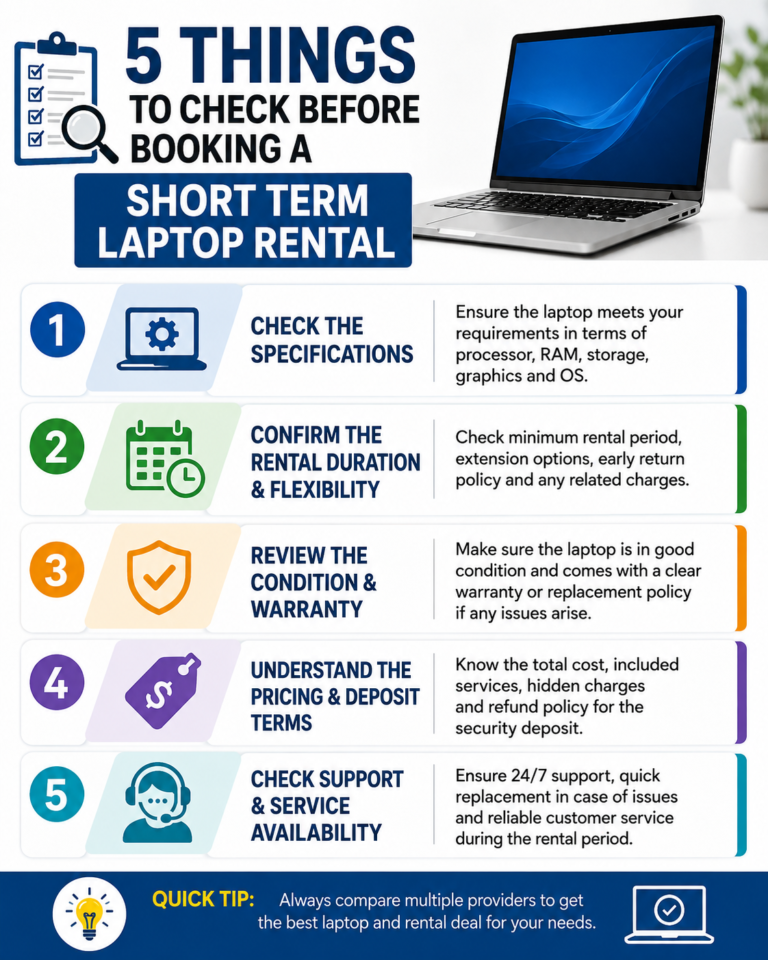
Renting a laptop for a few weeks sounds simple until you actually need one on short notice. Before booking, check five things: the specifications suit your actual workload, the rental term can be extended or shortened without penalty, delivery and collection times fit your schedule, technical support is genuinely included, and the provider has a clear data wiping and security policy. Missing any one of these can turn what should be a quick fix into a source of stress halfway through your project.
Plenty of businesses turn to a short term laptop rental when they need extra kit fast, whether that’s covering a staff shortage, running a training day, or supporting a temporary project team. It’s a sensible middle ground between buying new hardware you won’t need again and asking staff to work on unsuitable personal devices. That said, a rental agreement only works well if it’s set up properly from the start.
Before you commit, confirm the laptop specs match your software needs, ask whether the rental length can flex, check delivery and collection windows against your start date, get written confirmation of support and swap out cover, and ask exactly how data gets wiped when the device comes back. These five checks catch most rental problems before they happen.
1. Check the Specifications Actually Match Your Work
Not every laptop is built for the same job. Video editing, CAD software, or running several virtual machines needs far more processing power and RAM than someone answering emails and using spreadsheets. Ask the rental company for exact specs, not just a vague description such as “business laptop.” Confirm processor type, RAM, storage, and whether the operating system version suits the software you’ll be running. A mismatch here is the most common reason short term rentals go wrong.
2. Confirm How Flexible the Rental Period Really Is
Projects rarely run exactly on schedule. Ask what happens if you need the laptops for an extra week, or if the job wraps up early. A good provider offering short term laptop rental UK wide will have straightforward terms for extending or shortening a booking without hidden penalties. Get this in writing before signing anything, especially when your project timeline has any uncertainty built into it.
3. Understand Delivery, Setup, and Collection Logistics
Timing matters more than most people expect. Ask when devices will arrive, whether they come pre-configured or need setup on-site, and how collection works once the rental ends. Providers like The Tekk Group typically handle delivery, basic setup, and collection as part of the service, which takes pressure off your IT team during a busy period. Always confirm these logistics against your actual start date, not just the date the booking was placed.
4. Ask About Technical Support and Replacement Cover
Hardware fails sometimes, even good hardware. Find out what happens if a laptop breaks down mid rental. Is there a replacement guarantee? How quickly will a faulty unit get swapped? This matters even more for a short term laptop rental for business use, where downtime for even one employee can hold up a wider team. A provider without clear support terms is a risk worth avoiding.
5. Clarify Data Security and Wiping Procedures
Every laptop that’s been used by someone else needs a proper data wipe before it reaches you, and needs wiping again once it’s sent back. Ask what standard they use for erasing data and whether certification can be provided if your industry requires it. This matters even more when arranging a bulk laptop rental for a large team or event, since more devices mean more potential exposure if security isn’t handled properly.
Short Term Rental vs Buying vs Leasing
Comparing your options side by side makes the decision a lot easier.
| Factor | Short Term Rental | Buying New | Long Term Lease |
| Commitment | Days to weeks | Permanent | Months to years |
| Setup effort | Minimal, provider handles it | High, IT team manages | Moderate |
| Best for | One-off projects, events, cover staff | Ongoing daily use | Steady, predictable headcount |
| Maintenance | Provider’s responsibility | Your responsibility | Shared, per contract |
| Flexibility | High | Low | Low to moderate |
Frequently Asked Questions
1. How far in advance should I book a short term laptop rental?
Aim to book at least a few days ahead, longer for larger orders. This gives the provider time to configure devices and arrange delivery in line with your start date.
2. Can I extend a rental if my project runs over?
Most providers allow extensions, but it’s worth confirming the process and notice period before signing the original agreement.
3. Do rented laptops come with software pre-installed?
This depends on the provider. Always specify exactly which software is needed before booking, rather than assuming it will be included.
4. What happens if a rented laptop develops a fault?
A reliable provider will offer a replacement within an agreed timeframe. Confirm this cover before committing, not after something breaks.
5. Is renting suitable for large teams or events?
Yes. Many providers handle rentals for conferences, training sessions, and temporary offices, with devices configured and delivered as a batch.
6. How is data handled when the laptop is returned?
Reputable providers wipe all data using recognised standards before a device is reused or returned to stock. Ask for written confirmation if needed for compliance.
Final Thoughts
Renting laptops short term can solve a lot of headaches, but only when the basics are checked properly beforehand. Get the specs right, confirm flexibility, understand the logistics, lock down support, and ask the right questions about data security. Do that, and the rental becomes a genuine time saver instead of a new problem to manage.
For businesses across the UK looking for straightforward, well supported rentals, The Tekk Group has built a reputation for handling everything from single device cover to larger orders for bigger teams, without unnecessary hassle.
