

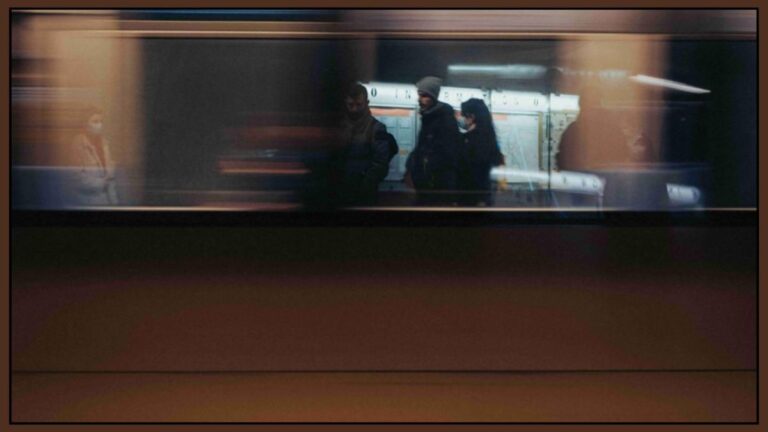
Blurry photos are frustrating, especially when the moment cannot be recreated. Whether the blur comes from movement, poor focus, or low light, many iPhone users wonder if it is possible to fix a blurry image after it has been taken. The good news is that, in some situations, you can improve image clarity directly on your iPhone. However, it is just as important to understand the limits of unblurring and how to avoid blurry photos in the first place.
This guide explains how to unblur an image on iPhone, the methods that work best, and what you should know before trying to fix a blurry photo.
Why Photos Become Blurry on iPhone
Before trying to fix a blurred image, it helps to understand why it happened. Most blurry photos fall into one of these categories.
Motion blur happens when the subject moves or the phone shakes while the photo is being taken. This is common in low light when the camera needs more time to capture the image.
Focus blur occurs when the camera locks focus on the wrong subject or fails to focus properly. This often happens with close-up shots or fast-moving scenes.
Low-light blur appears when there is not enough light. The camera compensates by slowing the shutter, which increases the risk of blur.
Understanding the cause helps you choose the right method to improve the photo and avoid repeating the same issue.
Method 1: Improve Sharpness Using Built-in iPhone Tools
Your iPhone already includes basic editing features that can help reduce mild blur.
Start by opening the photo in your gallery and selecting the edit option. From there, you can adjust sharpness, contrast, and clarity. Increasing sharpness can make edges appear more defined, while contrast adjustments can add perceived clarity to the image.
This method works best when the blur is light and the image still contains enough detail. It will not fully restore heavily blurred photos, but it can make them look noticeably better.
Method 2: Use a Photo Editing App on Your iPhone
Another effective option is using a photo editing app directly on your phone. Many apps are designed to enhance image clarity, reduce noise, and sharpen details automatically.
After importing your photo into the app, look for tools related to sharpening, clarity, or detail enhancement. Some apps also analyse the image and apply smart corrections to improve focus.
This approach is useful if you want more control than the built-in editor provides. It is one of the easiest ways to unblur a picture without needing a computer, especially for social media or casual use.
Method 3: Adjust Exposure and Lighting to Reduce Blur
Sometimes blur looks worse because the image is too dark or flat. Improving exposure and lighting can make the photo appear clearer.
Increase brightness slightly, then fine-tune highlights and shadows. This can reveal details that were hidden and make the photo feel sharper overall. Be careful not to overdo it, as excessive brightness can introduce noise.
This method does not truly remove blur, but it often improves visual quality enough to make the image usable.
Method 4: Crop Strategically to Improve Focus
Cropping is an underrated technique for dealing with blur. If the main subject is sharp but the surrounding areas are blurry, cropping the image can shift attention to the clear part.
Even when the entire image is slightly blurry, removing unnecessary background elements can make the subject appear more focused. This works particularly well for portraits and close-up shots.
Method 5: When Unblurring Will Not Work
It is important to be realistic. If a photo is heavily blurred due to strong motion or missed focus, no method can fully recover lost details.
Images that lack original data cannot be reconstructed perfectly. In these cases, editing tools may create artificial sharpness, but the photo will never look truly clear.
Knowing when to stop editing can save time and prevent overprocessed results.
How to Avoid Blurry Photos on iPhone
Preventing blur is always better than fixing it later. A few simple habits can dramatically improve your photo quality.
- Hold your phone with both hands and keep your elbows close to your body to reduce shake. When possible, rest your phone against a solid surface.
- Tap the screen to set focus manually before taking the photo. This ensures the camera locks onto the correct subject.
- Use good lighting whenever possible. Natural light reduces the need for slow shutter speeds, which lowers the risk of motion blur.
- Avoid digital zoom, as it reduces image quality and makes blur more noticeable. Move closer to your subject instead.
- Take multiple photos of important moments. This increases the chance that at least one image will be sharp.
When to Use Editing and When to Retake the Photo
Editing is useful for improving slightly blurry images, but it should not replace good photography habits. If you notice blur immediately after taking a photo and have the chance to retake it, do so.
Editing should be seen as a tool for enhancement, not correction of major mistakes. Knowing this balance will help you get better results overall.
Final Thoughts
Learning how to unblur an image on iPhone can help rescue photos that would otherwise be unusable. By using built-in editing tools, a photo editing app, and smart adjustments, you can often improve clarity enough for sharing or saving memories. At the same time, understanding why photos become blurry and how to prevent it will significantly reduce the need for editing in the future.
With the right techniques, you can capture sharper images, save time on edits, and feel more confident using your iPhone as a reliable camera.
