

You finish an event with hundreds of photos on your phone. A few of them are genuinely good. What you do not have is a single short video. Asking someone to film, or spending an evening inside editing software, feels disproportionate for a one-off need. This is the quiet gap a lot of people sit in now: plenty of stills, almost no motion. AI tools that turn a photo into a short video have started to fill that space, but the results are uneven. Some clips feel natural enough to post. Others look as if the photo is being pulled sideways across the screen. The real question is whether the finished video is something anyone would actually choose to watch.
Key Takeaways
• AI can add realistic motion to a still photo, but only when the original image is clear and well composed.
• The strongest results come from small, deliberate camera moves and careful control of where the clip begins and ends.
• Busy backgrounds, low resolution, and obscured subjects often produce awkward or distorted clips.
• Treating this method as an extra option, rather than a full replacement for filming, keeps expectations realistic.
Why Are More People Experimenting with AI Video?
Short video has become the default format on most social platforms. A still image can still stop someone mid-scroll, but a short sequence often holds attention longer and fits the way feeds are built to move. Content creators, small brands, and ordinary users all feel that pressure. At the same time, the practical barriers to traditional filming have not gone away. Cameras, lighting, locations, and editing time still cost money and hours that many people simply do not have.
That mismatch is why more people are testing ways to generate motion from photos they already own. The appeal is practical. The image is already approved. The subject, lighting, and composition are fixed. What changes is the addition of movement and a sense of pacing. For someone who needs a short clip for a social post or a product page, the idea of skipping a full shoot makes sense. These experiments are less about replacing professional video and more about filling the gaps where no video would otherwise exist.
How Does AI Turn a Still Photo into a Moving Video?
At a basic level the model looks at the photo and tries to understand what sits in the frame. It separates the main subject from the background, notices depth where it exists, and picks up edges and surfaces. From that reading it generates new frames that sit between a starting point and an ending point. The original photo remains the visual anchor. The system is not inventing a new scene. It is adding motion meant to feel consistent with the composition already present.
This is why the quality of the source image matters so much. A clear subject and a reasonably clean background give the model less room to guess. When the photo is sharp and the lighting is even, the generated movement has a better chance of looking natural. When the image is noisy, heavily cropped, or filled with competing details, the motion can start to warp faces, stretch objects, or create odd shifts in the background. A low-resolution product shot, for example, often produces soft or smeared edges once the camera begins to move.
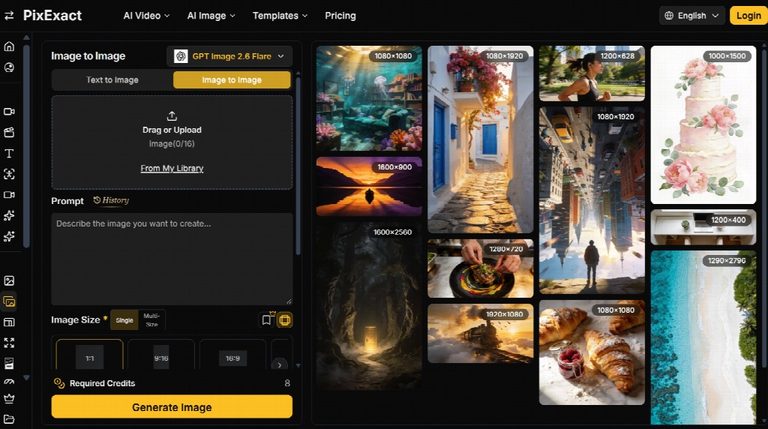
The practical value of this approach sits in the fact that the content of the frame is already decided. You are not asking the system to invent a product or a person from scratch. You are asking it to move the camera or introduce gentle life into a picture you already trust. Among the platforms that support this kind of controlled generation is PixExact. The underlying idea remains the same across tools: start with a confirmed still and add motion that respects what is already there.
What Makes the Difference Between an Ordinary and an Engaging AI Video?
Most weak AI videos share the same problems. The camera travels too far or too fast. The subject drifts or begins to warp around the edges. The motion feels random rather than chosen. A clip that works better usually does the opposite. It keeps the movement small and purposeful. A slow push toward a product on a table, a gentle pan that follows the line of a landscape, or a soft shift that reveals a little more of a face tends to feel intentional. A rapid orbit or a dramatic zoom often does the reverse: it draws attention to the artificial movement itself.
Controlling where the clip begins and ends helps more than most people expect. If you can set the first frame and the last frame, you decide the starting composition and the final resting point. That constraint stops the video from wandering. Reference images can steady a series of clips that need to feel related to one another. A short text prompt that names the camera move and the mood works better than a long creative paragraph. The system already sees the photo. What it needs is clear direction on motion and pacing.
Size and proportion are easy to overlook and quick to notice when they are wrong. A clip made for a vertical Stories or Reels format, often under fifteen seconds, will look cramped or stretched if it is forced into a wide website banner. Matching the output dimensions to the place the video will actually appear removes a common source of awkwardness. The difference between an ordinary AI video and one that feels watchable is rarely a single dramatic setting. It is the accumulation of small choices about how far the camera moves, how the clip starts and finishes, and whether the finished file fits the platform it is meant for.
What Types of Photos Work Best for Image-to-Video Creation?
Photos with a clear main subject, a relatively clean background, and even lighting tend to produce the most usable results. A portrait with the face well lit and unobstructed, a product shot on a simple surface, or a landscape with a strong focal point all give the model something stable to work with. A clean product packshot, for instance, usually accepts a slow push-in or a soft orbit without the edges starting to break. The motion can stay modest and still feel deliberate.
Problems appear more often when the source image is crowded, low in resolution, or partially blocked. Fine text, intricate patterns, or multiple overlapping subjects can cause the generated frames to smear or distort. A face turned away from the camera or heavily shadowed is harder to keep consistent across the clip. In those cases the safest approach is either to choose a different photo or to keep the movement extremely limited.
Understanding these limits is part of using image to video methods effectively. The technology works with what the photo already contains. It does not repair composition problems or invent missing detail. Selecting the right still is often more important than adjusting the generation settings afterward.
How Can Beginners Start Creating Their Own AI Videos?
The simplest way to begin is to pick one or two photos you already like and trust. Avoid the ones with complicated backgrounds or small, distant subjects. Start with a short duration, often just a few seconds, so the movement has less time to drift. Choose one or two restrained camera moves and stick with them for the first experiments. A slow push-in or a gentle pan is usually enough to test whether the photo responds well.
Match the output size to the platform you actually plan to use. A vertical clip for Stories or Reels, a square for many feed posts, a wider frame for a website or presentation. Generating the correct ratio from the start saves the awkward re-cropping that can cut off important parts of the image. Once the clip is ready, watch it once at full size and once on a phone. Look for warping around faces or edges, sudden jumps in the background, or motion that feels faster than the subject can support.
Most early attempts benefit from a second pass with smaller adjustments rather than a complete restart. If the movement feels too strong, reduce it. If the subject drifts, tighten the framing or switch to a more static camera path. A short list of photos, a short list of motion styles, and a habit of checking the result before posting will produce cleaner work than trying every available setting at once.
So, Can AI Turn One Photo into a Video Worth Watching?
Yes, under the right conditions. When the source photo is clear, the movement stays restrained, and the output matches the platform, the result can feel natural enough to use. When the photo is weak or the motion is pushed too far, the clip often looks worse than the original still. Treating AI video as an additional option rather than a complete substitute for filming keeps the expectations in the right place. It gives people a practical way to add motion where none existed, without pretending that every photo is ready to become a finished video.
